
DevOps Best Practices for Modern Development Teams
Introduction
Modern software teams are expected to move quickly. Customers want new features faster. Businesses expect frequent releases. Applications need to remain available as traffic grows, and security cannot become an afterthought simply because development deadlines are tight. The challenge is that writing code is only one part of delivering reliable software. A feature may work perfectly on a developer's laptop but fail after deployment because of configuration differences. A release may introduce an unexpected bug. Infrastructure may struggle when traffic suddenly increases. Manual deployment steps can also become difficult to repeat consistently as a development team grows. This is where DevOps becomes important. DevOps is not simply a collection of deployment tools or a job title. It is an approach that brings software development, testing, infrastructure, deployment, monitoring, security, and operations into a more connected delivery process. For modern development teams, good DevOps practices can help create a workflow where software changes are easier to test, deploy, monitor, and improve. At Teqvira, DevOps and deployment form part of the broader product-development lifecycle alongside Product Design, Web Development, Mobile Development, SaaS Development, QA & Maintenance, AI Integration, and other digital engineering services. In this guide, we'll look at practical DevOps best practices for modern development teams, from CI/CD and Infrastructure as Code to monitoring, security, automation, testing, containers, rollback planning, and team collaboration.
What Is DevOps?
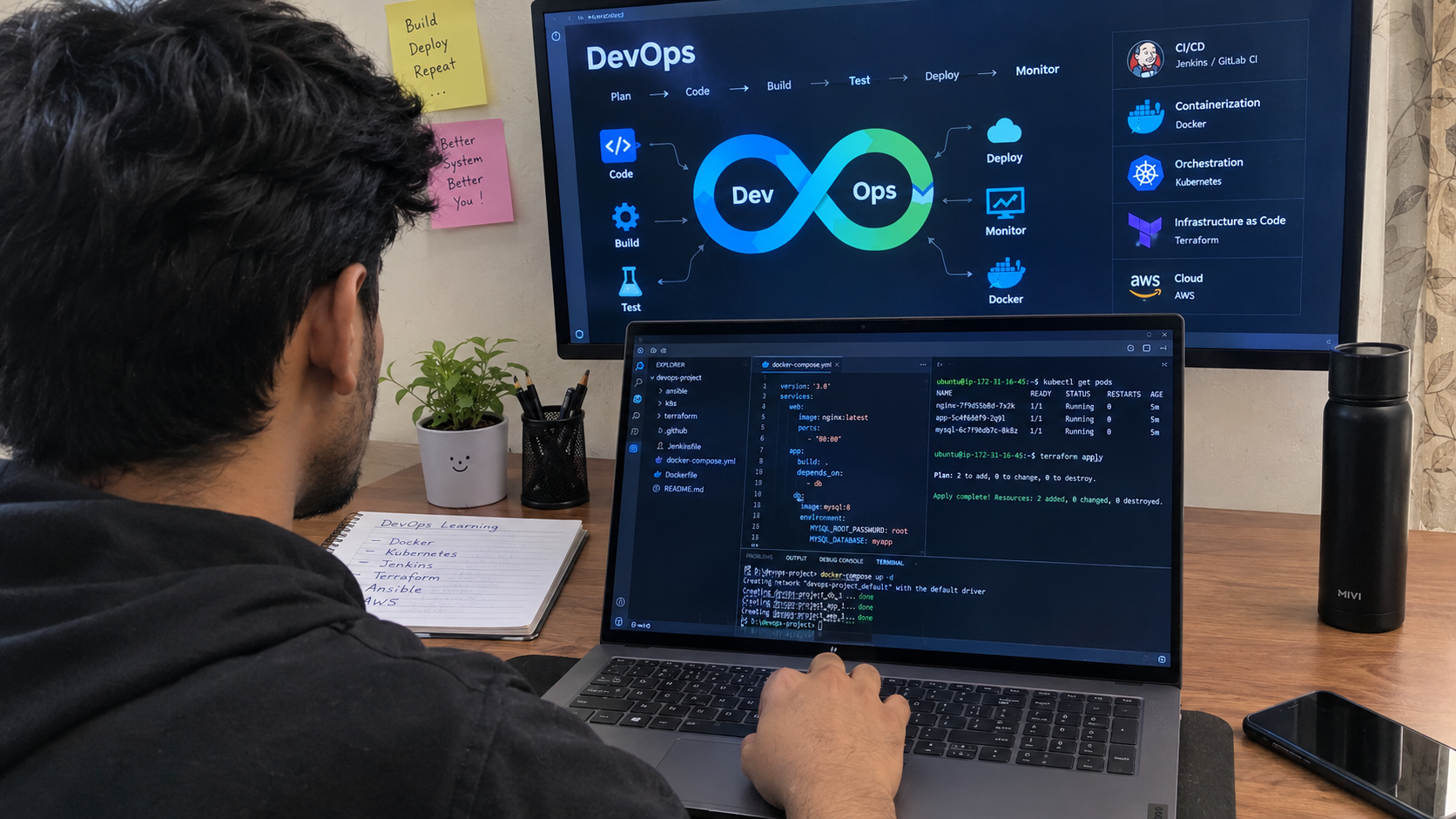
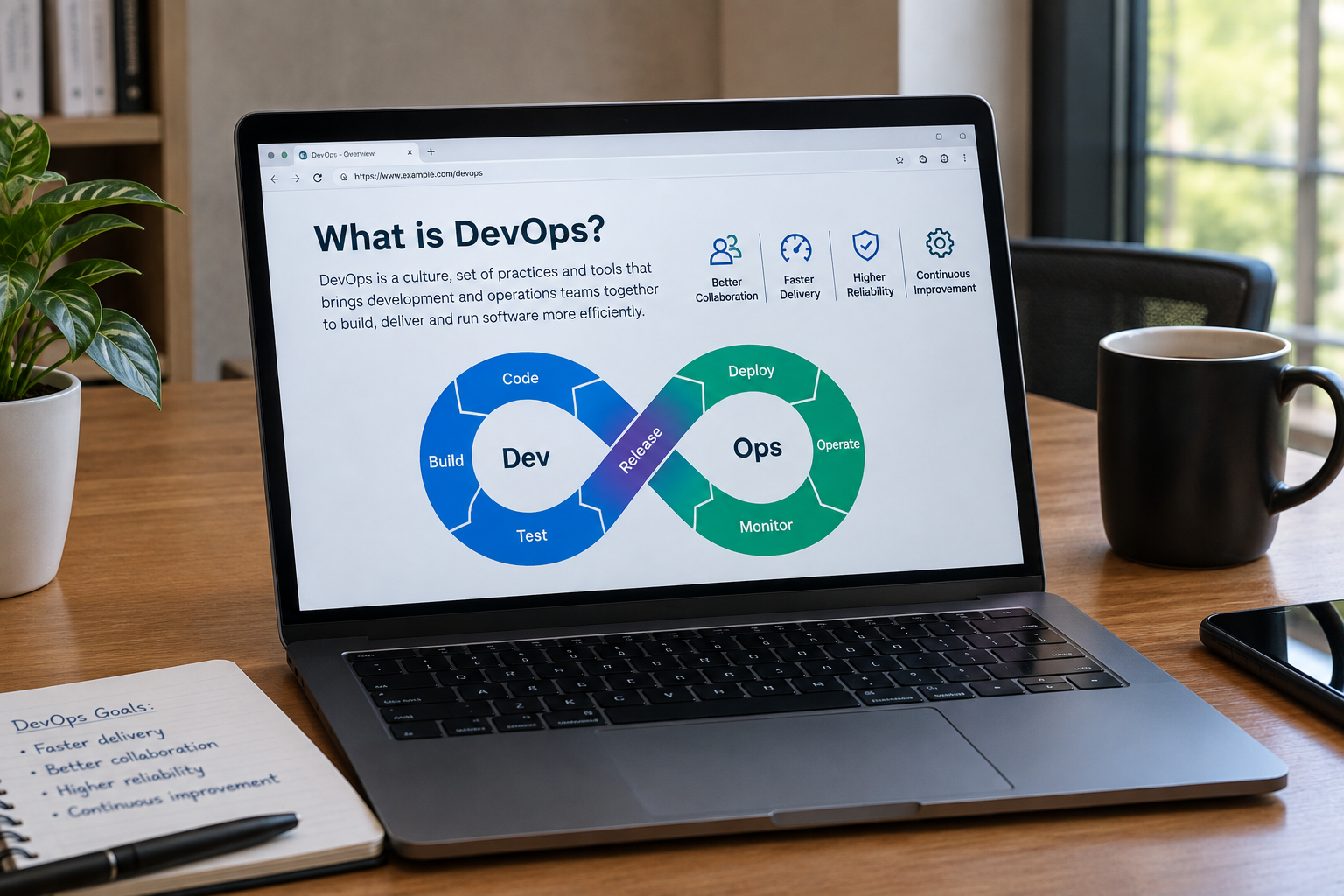
DevOps combines ideas from Development (Dev) and Operations (Ops) to improve how software moves from development to production. In a traditional workflow, teams may operate separately: Developers write code → QA tests it → Operations deploys it → Operations manages production This can create delays when each stage depends heavily on manual handovers. A DevOps-oriented workflow aims to create a more continuous process: Plan → Develop → Build → Test → Release → Deploy → Operate → Monitor → Improve The objective is not simply to deploy more frequently. The larger goal is to make software delivery repeatable, observable, secure, and easier to recover when something goes wrong.
Why DevOps Matters for Modern Development Teams
Consider a development team that deploys an application manually. A developer builds the project locally. Someone uploads files to the server. Environment variables are changed manually. Database changes are executed separately. After deployment, the team checks whether the application still works. This approach might be manageable for a small project with infrequent updates. It becomes much harder when the product has: ○ Multiple developers ○ Frequent releases ○ Development, staging, and production environments ○ Several APIs or services ○ Large numbers of users ○ Cloud infrastructure ○ Database migrations ○ Security requirements ○ Multiple deployment regions ○ Continuous product improvements DevOps practices help teams introduce structure and automation into these processes. Instead of relying on somebody remembering every deployment step, the process itself becomes defined and repeatable.

DevOps vs Traditional Software Development
The difference is easier to understand when we compare the workflows. Traditional Approach: • Development and operations may work separately • Releases may involve manual steps • Testing may happen late • Infrastructure may be configured manually • Problems may be discovered by users • Large releases may contain many changes • Security may be reviewed near release DevOps-Oriented Approach: • Teams collaborate throughout delivery • Repetitive deployment steps are automated • Testing is integrated earlier • Infrastructure can be defined as code • Monitoring helps detect issues • Smaller releases can reduce change complexity • Security can be integrated throughout development DevOps does not automatically solve poor software architecture or weak development practices. It provides processes and engineering practices that can make software delivery more manageable.
What Are DevOps Best Practices?
There is no single DevOps setup that works for every organization. A five-person startup does not need the same infrastructure as a large SaaS company serving millions of users. However, several practices are useful across many modern software teams. A practical DevOps foundation often includes: Version Control → CI → Automated Testing → Artifact Creation → CD → Infrastructure Management → Deployment → Monitoring → Feedback Let's examine these areas individually.
1. Keep Everything Important in Version Control
Version control is one of the foundations of modern software development. Git repositories are commonly used for application code, but version control can extend beyond the application itself. Depending on the project, teams may version: ○ Application source code ○ Infrastructure definitions ○ Deployment configurations ○ Database migration files ○ CI/CD configuration ○ Scripts ○ Documentation ○ Environment templates Version control gives teams a documented history of changes. If a problem appears after a release, developers can investigate: • What changed? • Who changed it? • When was it changed? • Which version is currently running? That visibility becomes increasingly important as more developers contribute to the same product.
2. Establish a Clear Git Workflow
Using Git is not enough if every developer follows a completely different process. Teams should agree on how code moves through development. A simple workflow might be: Create Branch → Develop Feature → Open Pull Request → Code Review → Automated Checks → Merge → Deploy The exact branching strategy depends on the team's release process. Some teams use short-lived feature branches, while others may need additional release or maintenance branches. The important point is consistency.
Keep Changes Small
Large pull requests are harder to: • Review • Test • Understand • Debug • Roll back Smaller changes usually make collaboration easier. Instead of combining many unrelated features into one large release, teams can deliver focused changes more frequently.
3. Implement Continuous Integration
Continuous Integration (CI) means developers regularly integrate code changes into a shared repository while automated checks validate those changes. A typical CI workflow might be: Code Commit → Build → Automated Tests → Static Checks → Security Checks → Build Artifact If something fails, developers receive feedback before the change reaches production. Without CI, integration problems can accumulate. Several developers may work independently for days or weeks before discovering that their changes do not work correctly together. CI shortens that feedback loop.
What Should a CI Pipeline Check?
The exact pipeline depends on the technology stack, but it may include: ○ Dependency installation ○ Compilation or build validation ○ Linting ○ Unit tests ○ Integration tests ○ Type checking ○ Static code analysis ○ Dependency vulnerability checks ○ Artifact creation The pipeline should provide useful feedback without becoming unnecessarily complicated. A pipeline that regularly takes an extremely long time may encourage developers to bypass it. The objective should be reliable feedback as early as reasonably possible.
4. Build a Reliable Continuous Delivery Pipeline
Continuous Integration validates changes. Continuous Delivery (CD) focuses on keeping software in a state where approved changes can be released through a predictable process. Depending on the organization, production deployment may be automatic or require human approval. A typical flow could look like: Developer Commit → CI Build → Automated Tests → Artifact Created → Deploy to Staging → Validation → Production Approval → Production Deployment → Post-Deployment Checks Automation reduces the number of manual steps that can be performed differently from one release to another.
Continuous Delivery vs Continuous Deployment
These two terms are related but not identical.
Continuous Delivery
Software remains ready for release, but production deployment can require approval.
Continuous Deployment
Changes that successfully pass the required pipeline checks can automatically move into production. Neither approach is universally better. A team should choose based on: • Product risk • Testing maturity • Compliance requirements • Deployment frequency • Application architecture • Business requirements A financial platform may require different release controls from a small content application.
5. Automate Repetitive Deployment Tasks
Manual deployment processes introduce inconsistency. If a release requires someone to follow a 20-step document every time, eventually a step may be skipped. Automation can help with tasks such as: ○ Building applications ○ Running tests ○ Creating artifacts ○ Deploying services ○ Applying configuration ○ Running database migrations ○ Performing health checks ○ Sending deployment notifications This does not mean every decision must be automated. High-impact production deployments may still include approval gates. The key is to automate repeatable execution while maintaining appropriate human control.
6. Use Infrastructure as Code
Modern applications often depend on more than a single server. Infrastructure may include: ○ Compute resources ○ Networks ○ Databases ○ Load balancers ○ Storage ○ DNS ○ Security groups ○ Container services ○ Cloud permissions Manually configuring these resources can make environments difficult to reproduce. Infrastructure as Code (IaC) allows infrastructure definitions to be managed through configuration files and code-like workflows. Instead of saying: “Create a server and configure it like the production server.” the infrastructure definition describes what should exist.
Benefits of Infrastructure as Code
IaC can provide several practical benefits.
Repeatability
Development, staging, and production infrastructure can be created using defined configurations.
Version History
Infrastructure changes can be reviewed through version control.
Reviewability
Changes can go through pull requests before being applied.
Faster Environment Creation
New environments can be provisioned without repeating every configuration manually.
Disaster Recovery Support
Documented infrastructure definitions can make rebuilding environments easier. Infrastructure as Code does not eliminate infrastructure mistakes, but it makes infrastructure changes more visible and repeatable.
7. Maintain Environment Consistency
One of the oldest development problems is: “It works on my machine.” Applications behave differently when development, staging, and production environments are inconsistent. Differences can involve: ○ Runtime versions ○ Dependencies ○ Operating systems ○ Configuration ○ Environment variables ○ Database versions ○ Network rules DevOps teams should reduce unnecessary environmental differences. Containers can help with this, although they are not the only solution. The broader principle is: The closer your testing environment resembles production, the more useful your pre-production testing becomes.
8. Use Containers Where They Solve a Real Problem
Containers package applications with many of the dependencies required to run them. Docker is widely associated with containerized development. A containerized application can help teams create more consistent execution across: Developer Environment → CI Environment → Staging → Production Containers can be particularly useful for: ○ Microservices ○ SaaS platforms ○ APIs ○ Cloud applications ○ Applications requiring consistent runtime environments However, containers should not be introduced simply because they are popular. A simple application may not require a complex container orchestration platform. Architecture should follow actual product requirements.
9. Don't Introduce Kubernetes Without a Reason
Kubernetes can provide powerful container orchestration capabilities, but it also introduces operational complexity. It can help manage: ○ Container scheduling ○ Service discovery ○ Scaling ○ Rollouts ○ Workload recovery ○ Configuration But a small application running a few services may not need Kubernetes. Teams should evaluate questions such as: • How many services are we operating? • What are our scaling requirements? • Do we have the expertise to maintain the platform? • Does the operational benefit justify the complexity? • Could a managed cloud service solve the same problem more simply? A mature DevOps strategy is not about using the largest possible technology stack. It is about using the simplest architecture that reliably supports the product's requirements.
10. Separate Configuration from Application Code
Applications usually require configuration that changes between environments. Examples include: ○ API endpoints ○ Database connections ○ Feature settings ○ Third-party service configurations These values should not require developers to modify application logic every time an environment changes. Configuration management helps separate environment-specific settings from the application's core code. This also makes deployments easier to manage across development, staging, and production.
11. Never Store Secrets Directly in Source Code
Passwords, API keys, tokens, certificates, and database credentials should not be hard-coded into application repositories. Secrets require controlled storage and access. A secure workflow should consider: ○ Secret storage ○ Access permissions ○ Rotation ○ Auditability ○ Environment separation ○ Revocation If a credential accidentally enters a public repository, simply deleting the line later may not be sufficient because the secret may remain in repository history. The credential should generally be treated as compromised and rotated.
12. Integrate Automated Testing into DevOps
Fast deployment is not useful if every deployment introduces new problems. Testing should therefore be part of the delivery pipeline. Different levels of testing serve different purposes.
Unit Testing
Tests individual functions, components, or modules.
Integration Testing
Checks whether multiple components work together correctly.
API Testing
Validates API endpoints, responses, authentication, and expected behavior.
End-to-End Testing
Tests complete user workflows (e.g. Sign Up → Login → Select Plan → Make Payment → Access Dashboard).
Regression Testing
Checks whether existing functionality continues to work after new changes. A strong testing strategy does not necessarily mean testing every possible combination. Teams should prioritize tests based on application risk and business importance.
13. Shift Testing Earlier in Development
Finding a problem before production is generally easier than discovering it after customers are affected. Modern development teams therefore try to move important quality checks earlier. For example: Developer → Local Checks → Pull Request → Automated Tests → Staging Tests → Production This is sometimes described as shifting left. QA should not become a final gate where every quality problem is discovered at the end of development. Developers and QA engineers can collaborate throughout the development lifecycle. At Teqvira, QA & Maintenance can be considered alongside development and deployment rather than as an isolated final step.
14. Integrate Security into the Development Lifecycle
Security should not begin one day before production launch. DevSecOps extends DevOps thinking by integrating security practices into software delivery. Depending on the project, teams may consider: ○ Dependency scanning ○ Static application security testing ○ Secret detection ○ Container scanning ○ Infrastructure configuration checks ○ Access control reviews ○ Code review ○ Patch management Security requirements should reflect the type of application and data involved. A public marketing website and a financial application do not carry the same risk profile.
15. Apply the Principle of Least Privilege
Developers, applications, deployment pipelines, and cloud services should receive only the permissions they genuinely require. For example, if a deployment service only needs access to one application environment, giving it unrestricted access to an entire cloud account creates unnecessary risk. The principle is straightforward: Give each user and system the minimum access required to perform its role. Permissions should also be reviewed as responsibilities change.
16. Monitor Applications After Deployment
Deployment is not the end of the software lifecycle. Once an application reaches production, teams need to understand how it behaves. Monitoring can cover areas such as: ○ Availability ○ Response time ○ Error rates ○ CPU usage ○ Memory usage ○ Database performance ○ API performance ○ Queue processing ○ Infrastructure health The exact metrics depend on the application. A SaaS platform, eCommerce website, mobile backend, and internal ERP system may require different monitoring strategies.
17. Centralize Application Logs
When applications run across multiple servers, containers, or services, searching individual log files becomes inefficient. Centralized logging helps teams collect and search logs from multiple systems. Useful logs can help answer questions such as: • What failed? • When did it fail? • Which service was involved? • Which request triggered the problem? • Was the issue isolated or widespread? Logging should provide enough information for troubleshooting without unnecessarily exposing sensitive data.
18. Build Useful Alerts, Not More Alerts
Monitoring without useful alerts can still leave teams unaware of production problems. But alerting on everything creates another problem: alert fatigue. If engineers receive hundreds of low-value alerts, important warnings may be ignored. Good alerts should generally be: ○ Actionable ○ Relevant ○ Prioritized ○ Connected to meaningful service behavior For example, a temporary CPU spike may not always require immediate intervention. A sustained increase in failed customer transactions probably deserves much more attention.
19. Monitor User-Facing Outcomes
Infrastructure metrics are important, but they don't always tell the full story. A server can appear healthy while an important customer workflow is failing. Teams should also monitor business-critical actions where appropriate. Examples include: ○ User registration ○ Login ○ Checkout ○ Payment ○ File upload ○ API requests ○ Subscription activation This helps connect technical monitoring with the actual user experience.
20. Define a Rollback Strategy Before Deployment
Every deployment carries some level of risk. Teams should know what happens if a release fails. A rollback plan may include: Detect Problem → Stop Deployment → Restore Stable Version → Validate → Investigate The exact approach depends on the application architecture and database changes. Waiting until production is broken to decide how rollback should work can increase recovery time.
21. Use Safer Deployment Strategies
Not every release needs to replace the entire production application immediately. Depending on the infrastructure and product requirements, teams may use strategies such as:
Rolling Deployment
Instances are gradually updated rather than replacing everything simultaneously.
Blue-Green Deployment
Two environments are maintained: Blue = Current Version Green = New Version Traffic can be switched after validation.
Canary Deployment
The new version is initially exposed to a limited portion of traffic. Teams monitor behavior before increasing exposure. These approaches can reduce deployment risk, but they also introduce additional infrastructure and operational requirements. The right strategy depends on the application's needs.
22. Treat Database Changes Carefully
Application rollback can be relatively straightforward compared with database rollback. Database migrations may change: ○ Tables ○ Columns ○ Indexes ○ Relationships ○ Data formats A deployment strategy should consider compatibility between application versions and database changes. For high-risk migrations, teams may need staged approaches rather than making a destructive schema change in a single deployment. Database deployment deserves the same level of planning as application deployment.
23. Use Feature Flags for Controlled Releases
A feature does not always need to become available to every user immediately after its code reaches production. Feature flags can separate: Code Deployment from Feature Release A team can deploy code while keeping a feature disabled. The feature may then be enabled for: ○ Internal users ○ Test users ○ A small customer group ○ Specific accounts ○ Everyone This can provide greater control over product releases. Feature flags also need management because old flags can accumulate and create technical complexity.
24. Automate Backups and Test Recovery
Creating backups is important. Knowing that those backups can actually be restored is even more important. Depending on the application, backup planning may include: ○ Databases ○ Uploaded files ○ Configuration ○ Critical business data Teams should define: • Backup frequency • Retention • Storage location • Access permissions • Recovery procedures A backup strategy should be connected to a recovery strategy.
25. Document the Development and Deployment Process
Automation reduces manual documentation requirements, but teams still need clear operational knowledge. Useful documentation can include: ○ Development setup ○ Deployment process ○ Infrastructure architecture ○ Environment configuration ○ Incident procedures ○ Rollback process ○ Common troubleshooting steps ○ Service ownership Good documentation is particularly important when new engineers join the team or when an incident happens outside normal working hours.
26. Create Clear Ownership
When something breaks in production, the first question should not be: “Who is responsible for this?” Teams should know which person or group owns each application or service. Ownership may cover: ○ Development ○ Production support ○ Monitoring ○ Security updates ○ Infrastructure ○ Documentation Shared responsibility does not mean unclear responsibility.
27. Measure DevOps Performance
Teams should measure whether their delivery process is actually improving. Useful engineering indicators can include: ○ Deployment frequency ○ Time required for a change to reach production ○ Percentage of releases causing incidents or requiring remediation ○ Time required to restore service after a problem ○ Build success rate ○ Test reliability ○ Deployment duration Metrics should be used to identify bottlenecks and improve systems rather than simply rank individual developers.
DevOps Best Practices for Startups
Startups often need speed but have limited engineering resources. A practical initial setup may focus on: Git Repository → Code Review → CI → Automated Tests → Staging → Controlled Production Deployment → Monitoring → Backups Startups do not necessarily need: • Complex microservices • Large Kubernetes clusters • Multiple deployment platforms • Extensive custom infrastructure before the product actually requires them. The infrastructure should be capable of growing, but unnecessary complexity creates maintenance work that a small team must then support.
DevOps Best Practices for SaaS Development
SaaS applications introduce additional operational requirements because customers continuously depend on the platform. A SaaS DevOps strategy may need to consider: ○ Availability ○ Multi-environment deployment ○ Database migrations ○ Subscription services ○ Background jobs ○ API reliability ○ Tenant isolation ○ Scaling ○ Monitoring ○ Security ○ Backups ○ Incident response As the SaaS platform grows, observability and deployment automation become increasingly valuable. This is also why SaaS Development and DevOps should not be planned independently. Application architecture affects infrastructure, and infrastructure decisions affect how easily the product can scale and deploy.
DevOps for Web and Mobile Development
DevOps practices are also useful beyond backend applications. For Web Development, teams can automate: Build → Test → Preview/Staging → Deploy → Monitor For Mobile Development, delivery workflows can include: Code → Build → Automated Tests → Internal Testing → Release Preparation → Store Distribution Mobile releases have additional considerations because app-store distribution differs from deploying a web application directly to a server. The overall principle remains the same: reduce unnecessary manual steps and make releases repeatable.
DevOps for AI-Powered Applications
AI-powered products can add another layer to deployment. Depending on the system, teams may need to manage: ○ Application code ○ AI APIs ○ Model configurations ○ Prompts ○ Data pipelines ○ Vector databases ○ Evaluation workflows ○ Monitoring ○ Usage and cost controls An AI feature working correctly during development does not guarantee that it will behave consistently in production. AI applications therefore need engineering, testing, monitoring, and fallback strategies just like other production software.
Common DevOps Mistakes Development Teams Should Avoid
Even experienced teams can overcomplicate DevOps. Common mistakes include:
Automating a Poor Process
Automation does not fix a badly designed workflow.
Using Too Many Tools
Every new tool creates another system the team must understand and maintain.
Ignoring Security
Fast releases should not come at the expense of access control or secure configuration.
No Rollback Plan
Production failures become harder to manage when recovery has not been planned.
Poor Monitoring
Teams cannot respond effectively to problems they cannot see.
Ignoring Database Deployment
Application and database changes need coordinated planning.
Building Infrastructure Beyond Current Needs
Complex architecture can increase cost and operational workload without delivering meaningful business value.
A Practical Modern DevOps Workflow
A modern development workflow could look like this: 1. Plan Feature ↓ 2. Create Development Branch ↓ 3. Develop & Test Locally ↓ 4. Open Pull Request ↓ 5. Code Review ↓ 6. Automated CI Checks ↓ 7. Merge Approved Code ↓ 8. Build Deployable Artifact ↓ 9. Deploy to Staging ↓ 10. QA & Integration Testing ↓ 11. Security/Release Checks ↓ 12. Production Approval ↓ 13. Production Deployment ↓ 14. Health Checks & Monitoring ↓ 15. Feedback & Improvement The exact implementation should be adapted to the organization rather than copied blindly.
DevOps Best Practices Checklist
Source Code
Use version control
Development
Keep changes manageable
Collaboration
Use pull requests and code review
Integration
Implement CI
Testing
Automate important tests
Delivery
Build repeatable CD pipelines
Infrastructure
Use IaC where appropriate
Environments
Maintain consistency
Secrets
Keep credentials outside source code
Security
Integrate checks throughout delivery
Deployment
Plan safe release strategies
Database
Manage migrations carefully
Monitoring
Track application and infrastructure health
Logging
Centralize useful logs
Alerts
Make alerts actionable
Recovery
Define rollback procedures
Data
Maintain tested backups
Documentation
Document important workflows
Improvement
Measure and refine the process
How to Build a DevOps Strategy for Your Team
Before selecting tools, understand your current delivery process. Start by asking: Development: • How does code move from developer to repository? • Are changes reviewed? • How often are integrations performed? Testing: • Which tests are automated? • What still requires manual validation? • Where are bugs usually discovered? Deployment: • How many manual steps are required? • How often do deployments fail? • Can the previous version be restored quickly? Infrastructure: • How are environments created? • Are configuration differences documented? • Can infrastructure changes be reviewed? Production: • How are problems detected? • Are logs centralized? • Who receives alerts? • Who owns each service? Once these questions are answered, the team can identify the largest bottlenecks instead of purchasing tools without a clear objective.
How DevOps Can Support Business Growth
DevOps is usually discussed as an engineering practice, but its effects extend into the business. A more reliable software-delivery process can support: ○ Faster product iterations ○ More predictable releases ○ Reduced manual deployment effort ○ Better production visibility ○ Faster response to incidents ○ Easier infrastructure scaling ○ Improved collaboration between teams For a SaaS company, this can mean releasing customer-requested improvements more efficiently. For an eCommerce company, it can mean reducing risk when deploying changes during important sales periods. For an internal business platform, it can mean making updates without repeatedly disrupting employee workflows. The value of DevOps therefore comes from the software delivery capability it creates—not simply from the tools installed.
Choosing the Right DevOps Tools
There is no universal “best DevOps stack.” A development team may require tools for: ○ Source control ○ CI/CD ○ Containers ○ Infrastructure as Code ○ Cloud infrastructure ○ Monitoring ○ Logging ○ Security scanning ○ Collaboration Tool selection should consider: Existing Technology Stack + Team Skills + Product Requirements + Security + Scalability + Operating Cost A small team should avoid adopting an enterprise-level stack purely because it appears more advanced. The best tool is the one that solves the actual engineering requirement while remaining maintainable by the team.
When Should a Business Invest in DevOps?
DevOps becomes particularly valuable when teams experience problems such as: ○ Deployments taking too long ○ Releases frequently breaking production ○ Development and production environments behaving differently ○ Too many manual deployment steps ○ Difficulty scaling infrastructure ○ Limited production visibility ○ Slow incident recovery ○ Developers waiting on operations ○ QA happening too late ○ Rapidly growing SaaS or software products Businesses do not need to wait until all of these problems appear. Building a sensible delivery foundation early can make future growth easier.
Why Choose Teqvira for DevOps & Deployment?
DevOps works best when infrastructure decisions are connected to how the product is actually designed and developed. Teqvira provides digital product and engineering services across areas including: ○ Product Design & Branding ○ Web Development ○ Mobile Development ○ CMS, WordPress & Content Platforms ○ QA & Maintenance ○ DevOps & Deployment ○ Marketing & SEO ○ SaaS & Platform Development ○ AI Integration & Automation ○ Business Software Solutions This allows DevOps to be considered as part of the broader product lifecycle rather than as an isolated deployment activity. For example, a SaaS product may require coordination between: Product Architecture → Application Development → Database → QA → Cloud Infrastructure → CI/CD → Deployment → Monitoring → Maintenance Understanding these dependencies helps create a deployment strategy that matches the product rather than forcing the product into a predefined infrastructure setup.
Teqvira's DevOps & Deployment Approach
A DevOps engagement should begin with the current development and deployment process.
1. Requirement & Infrastructure Assessment
The first stage is understanding: • Application architecture • Technology stack • Current infrastructure • Deployment process • Environments • Security requirements • Expected traffic • Scaling requirements
2. CI/CD Planning
The delivery pipeline can then be designed around the project. This may involve: Code → Build → Test → Review → Staging → Validation → Production Approval stages can be added where appropriate.
3. Infrastructure Planning
Infrastructure requirements are mapped according to the application rather than selecting cloud resources randomly. This can include: • Compute • Databases • Storage • Networking • Scaling • Backup requirements • Security
4. Deployment Automation
Repeatable deployment tasks can be automated to reduce manual execution and improve consistency.
5. QA & Release Validation
Testing and deployment should work together. Automated checks and QA processes can help validate releases before production.
6. Monitoring & Maintenance
After deployment, production behavior needs continued visibility. Monitoring, logs, alerts, maintenance, and infrastructure improvements can become part of the ongoing lifecycle.
DevOps Is a Process, Not a One-Time Setup
One important misconception is that a company can “finish DevOps.” A team may implement CI/CD today, but the product continues changing. New services are introduced. Traffic increases. Security requirements change. Deployment frequency grows. Infrastructure evolves. The DevOps process should therefore evolve alongside the software. A practical cycle looks like: Build → Measure → Identify Bottleneck → Improve → Automate → Monitor → Repeat That continuous improvement is more important than creating the most complicated pipeline on day one.
Conclusion
The best DevOps practices are not about adopting every new tool or moving every application to Kubernetes. They are about creating a software delivery process that the development team can understand, repeat, monitor, and improve. A strong foundation usually begins with: Version Control + Code Review + CI/CD + Automated Testing + Infrastructure Management + Security + Monitoring + Recovery Planning From there, additional practices can be introduced as the product and team grow. For startups, the priority may be creating a reliable deployment pipeline without unnecessary infrastructure complexity. For growing SaaS products, scalability, observability, release safety, and infrastructure automation may become increasingly important. For established businesses, DevOps may involve modernizing existing deployment processes and connecting development, QA, infrastructure, and operations more effectively. At Teqvira, we approach DevOps & Deployment as part of the complete product-development lifecycle—connecting development, QA, infrastructure, deployment, monitoring, and ongoing maintenance around the requirements of the product. The objective is not simply to deploy software faster. It is to build a delivery process that helps teams release confidently, detect problems earlier, recover more effectively, and continue improving as the product grows.
Frequently Asked Questions (FAQs)
1. What is DevOps?
DevOps is an approach that connects software development and IT operations through collaboration, automation, testing, deployment, monitoring, and continuous improvement.
2. What are the most important DevOps best practices?
Important practices include version control, CI/CD, automated testing, Infrastructure as Code, secure secrets management, monitoring, centralized logging, rollback planning, backups, and collaboration between development and operations teams.
3. What is CI/CD in DevOps?
CI/CD refers to Continuous Integration and Continuous Delivery or Deployment. CI validates code changes through automated processes, while CD helps move approved software changes through staging and production in a repeatable way.
4. Does every development team need Kubernetes?
No. Kubernetes can be useful for certain containerized and distributed applications, but it can introduce unnecessary complexity for smaller projects. Infrastructure should be selected according to actual requirements.
5. What is Infrastructure as Code?
Infrastructure as Code is the practice of defining and managing infrastructure through version-controlled configuration rather than relying entirely on manual setup.
6. How does DevOps improve software development?
DevOps can help reduce manual deployment work, shorten feedback cycles, improve collaboration, create more consistent environments, increase production visibility, and make software releases easier to manage.
7. Is DevOps only for large companies?
No. Startups and smaller development teams can benefit from simple practices such as automated builds, testing, controlled deployments, monitoring, and backups without implementing enterprise-level infrastructure.
8. What is DevSecOps?
DevSecOps integrates security practices into the development and delivery lifecycle instead of treating security only as a final pre-release activity.
9. How are DevOps and cloud computing related?
Cloud platforms provide infrastructure and managed services that can support DevOps practices, but DevOps itself is broader than cloud computing. DevOps processes can also be applied to other infrastructure environments.
10. How does Teqvira support DevOps and deployment?
Teqvira can connect DevOps & Deployment, QA & Maintenance, Web Development, Mobile Development, SaaS Development, AI Integration, and other engineering services to support the wider software-delivery lifecycle—from development and testing through deployment, monitoring, and ongoing improvement.
Have something in mind?
Teqvira is a global product design company offering AI and software product design, UI/UX design, and a complete product design process for startups and enterprises.